Telebot
A telepresence robot you drive from anywhere, built alone from chassis to code.
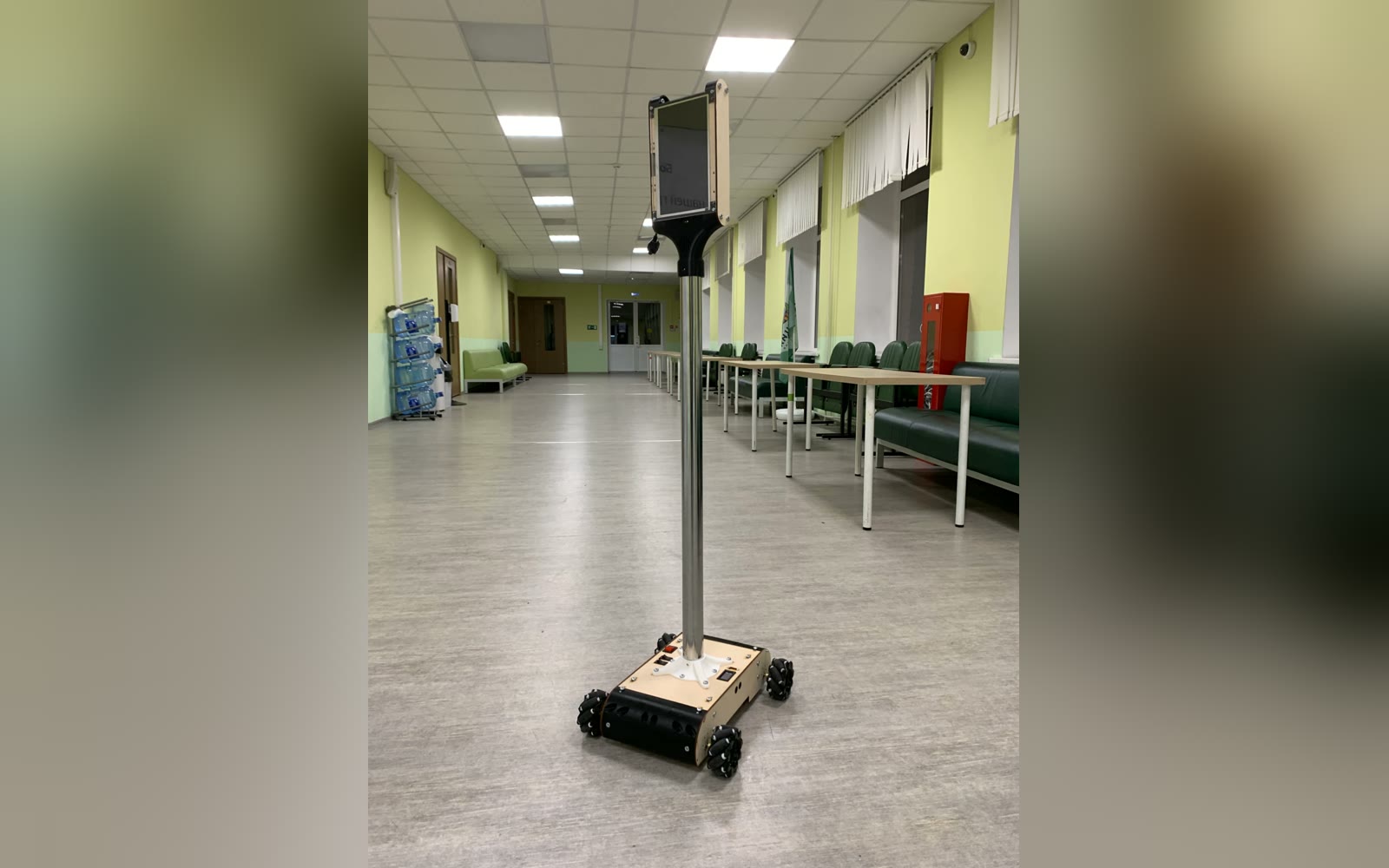
- 1developer, whole system
- Top scorefor the project in my age category, 2024
The idea
A telepresence robot lets someone be in a room without being there: they see through its camera, talk through its speaker and drive it around. Video calls are everywhere now, and schools use them for students and teachers who are away. But someone on site has to set the call up, and the person at home can only look where the camera happens to point.
I surveyed school staff who had been away for a long time, studied the existing telepresence robots, and set the goal: an affordable robot that a student or teacher can drive around one floor of a school, built for school use rather than for big companies.
It works
Learning from an existing robot
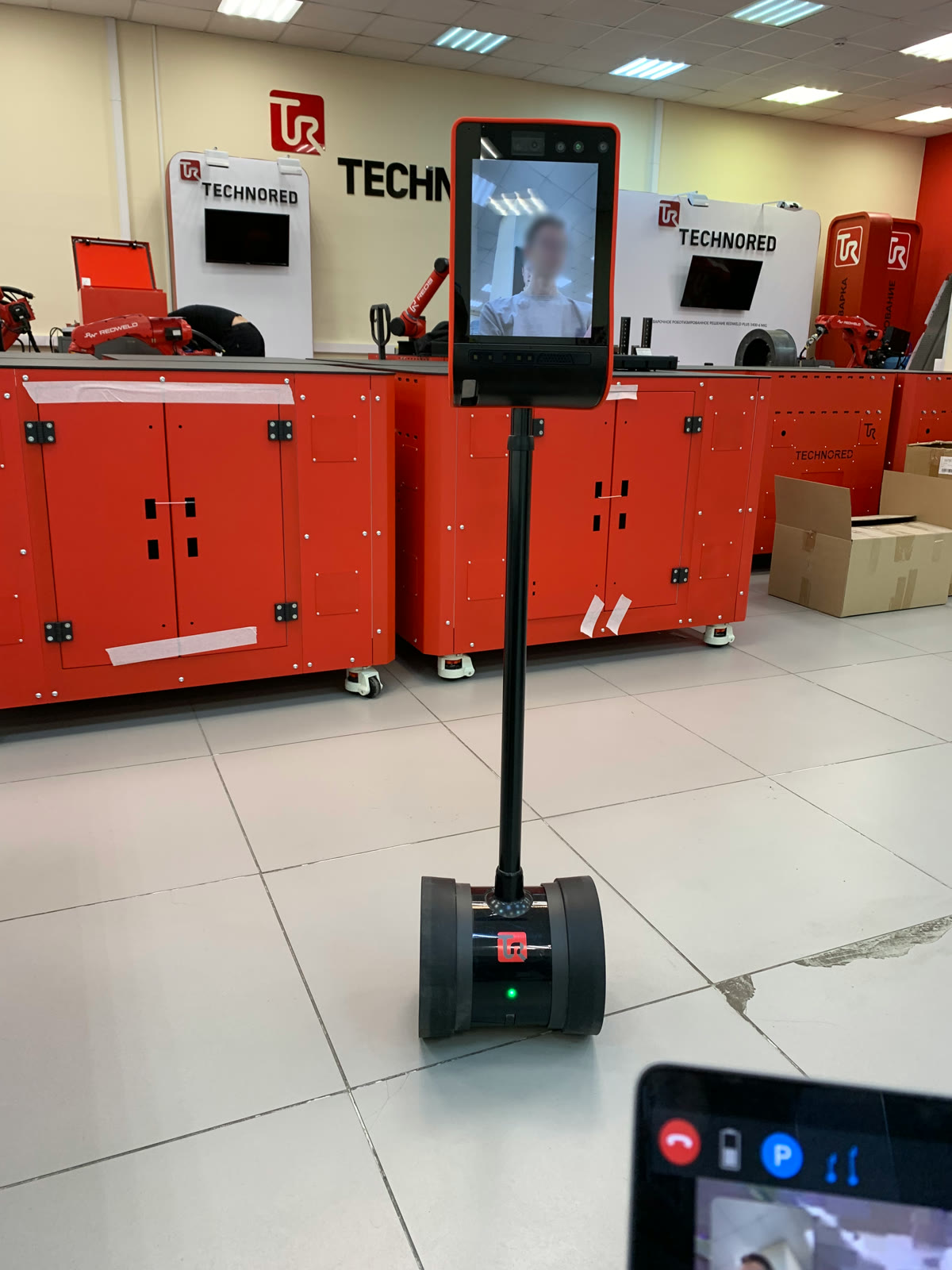
During my internship at Techno Red in December 2023 I got to use a Double 3 from Double Robotics, a commercial telepresence robot. It moves smoothly on two wheels, but it has to keep balancing all the time. My conclusion was that it could not last a whole school day and could be unsafe around children, which shaped the requirements for Telebot: stable on four wheels, economical with power and able to avoid obstacles on its own.
What I built
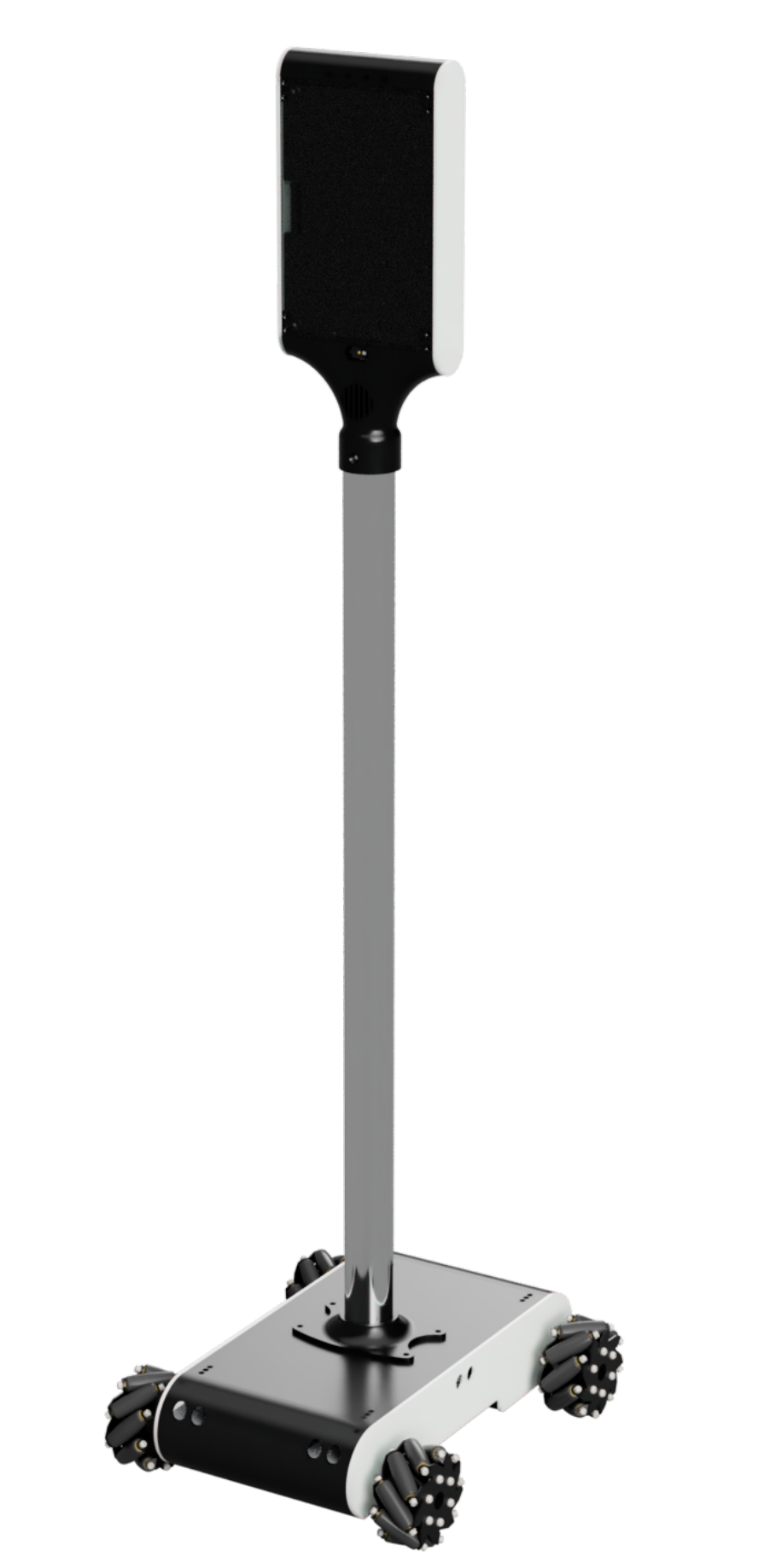
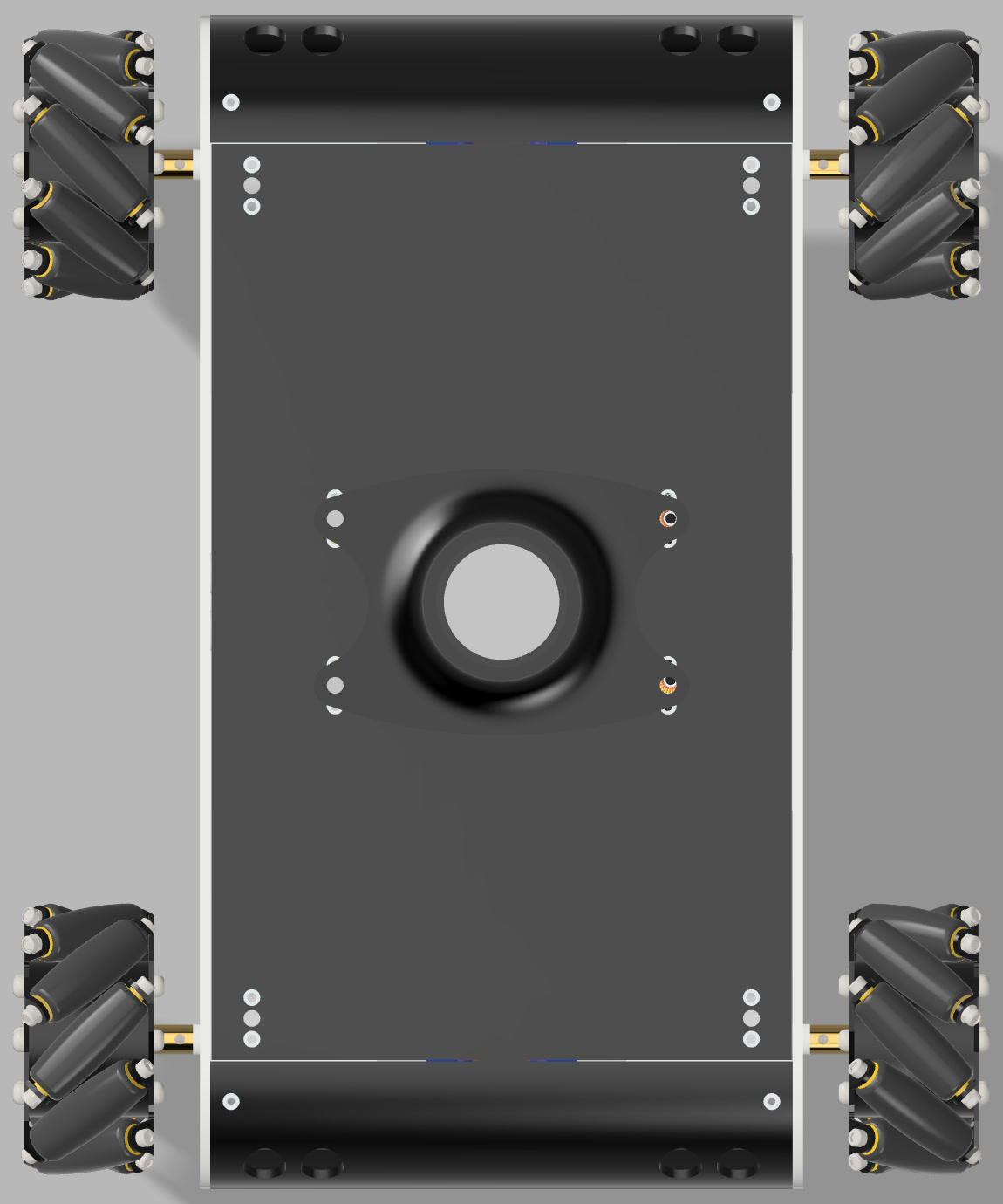
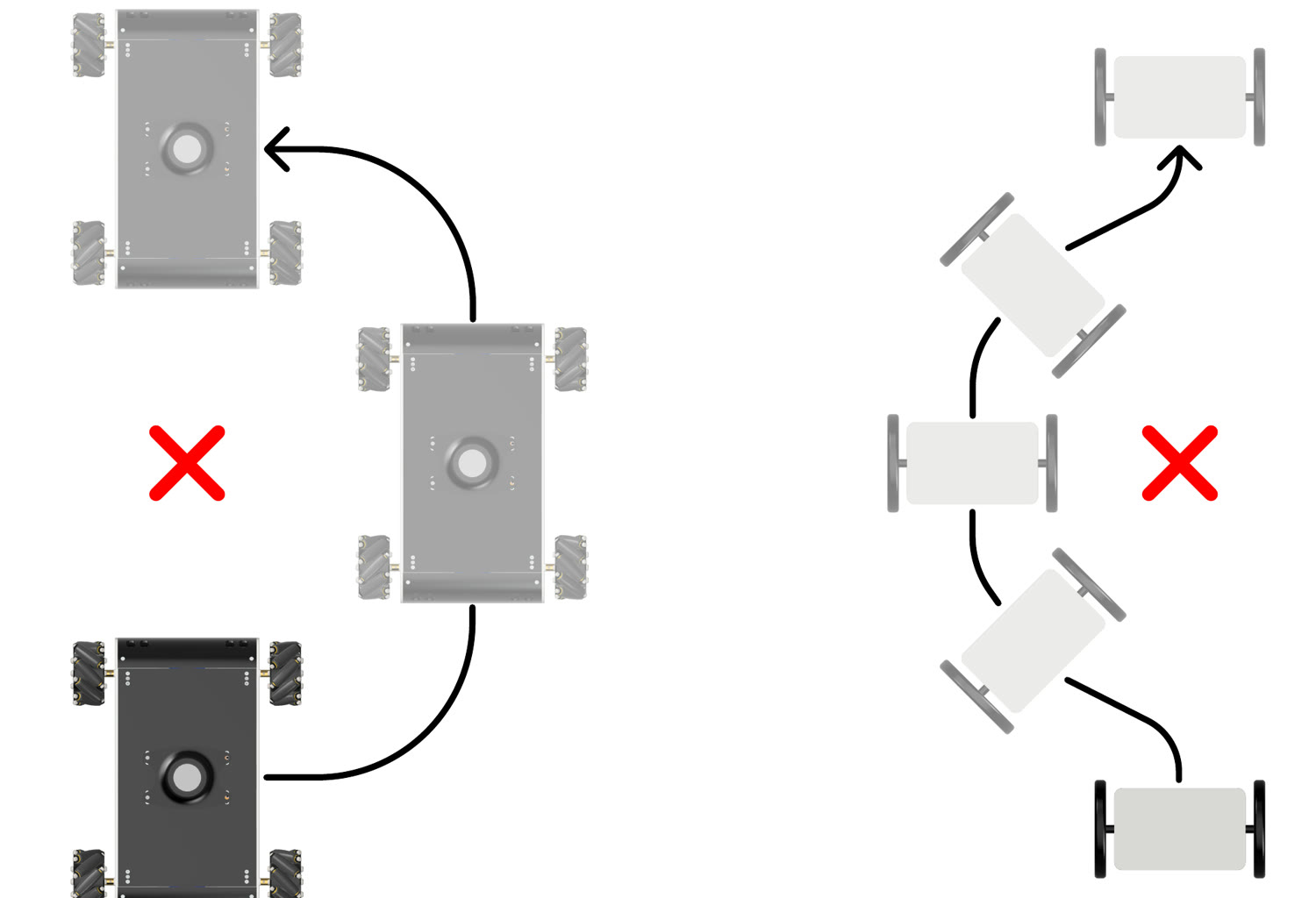
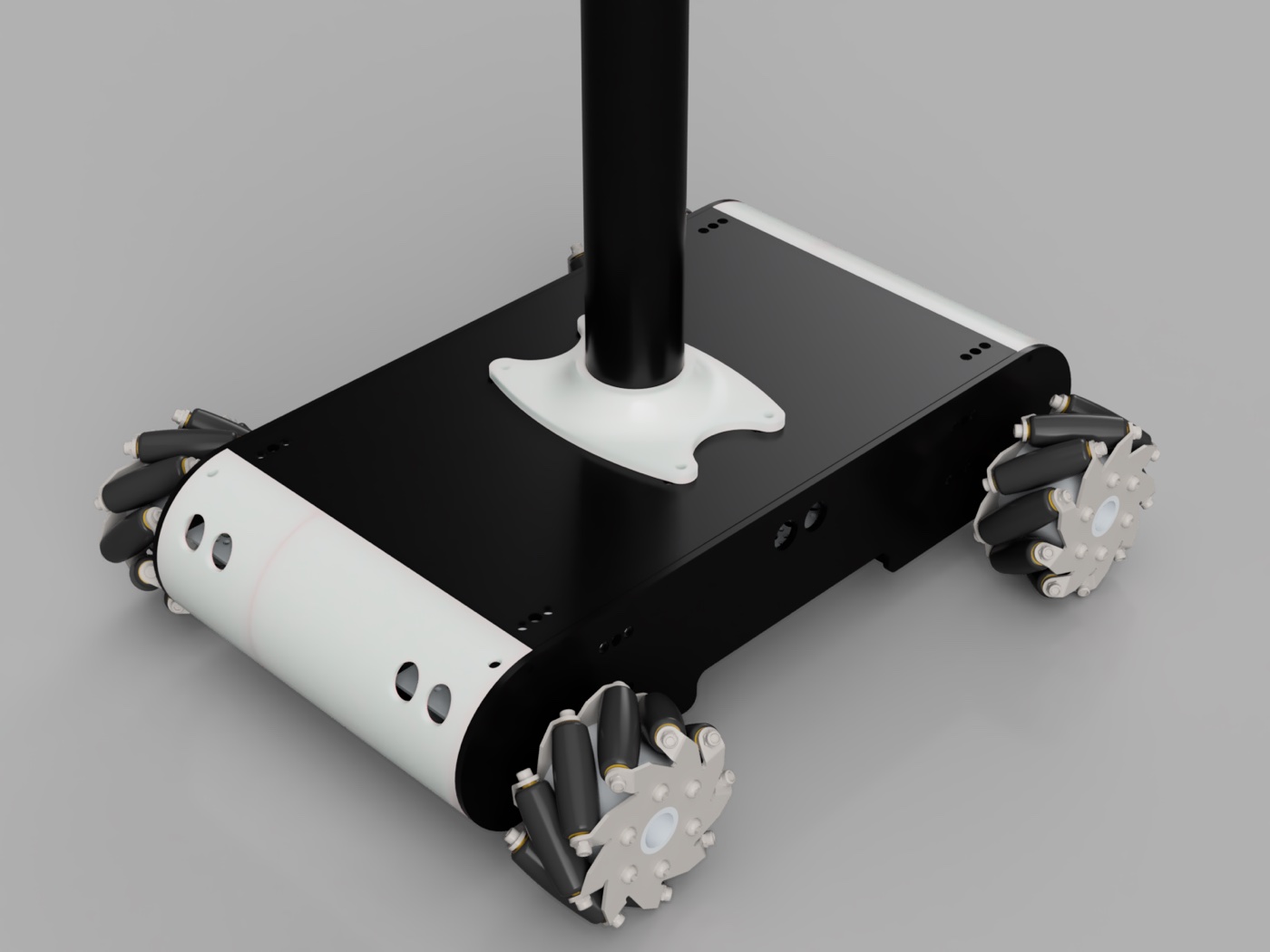
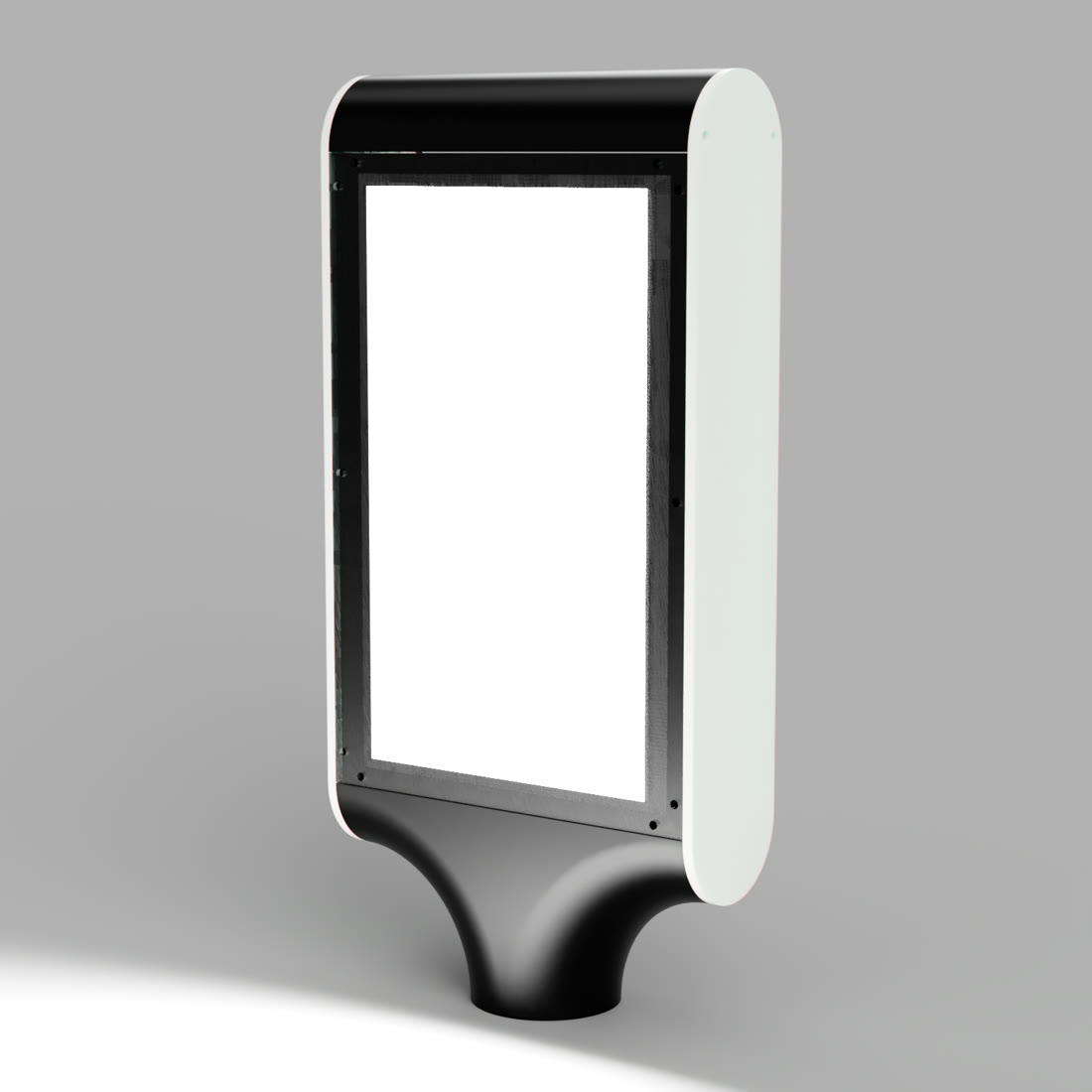
Mechanics. The robot is split into three parts: the head, a steel mast and an omnidirectional base. The base runs on four mecanum wheels whose rollers sit at 45° in the same direction, so it can move in any direction without turning first, and it can roll over higher obstacles than the other wheel layout I compared. I designed everything in Fusion 360. The body combines 3D-printed PLA for the curved parts with 4 mm painted plywood cut on a laser, and the base carries an aluminum frame built from TETRIX parts.
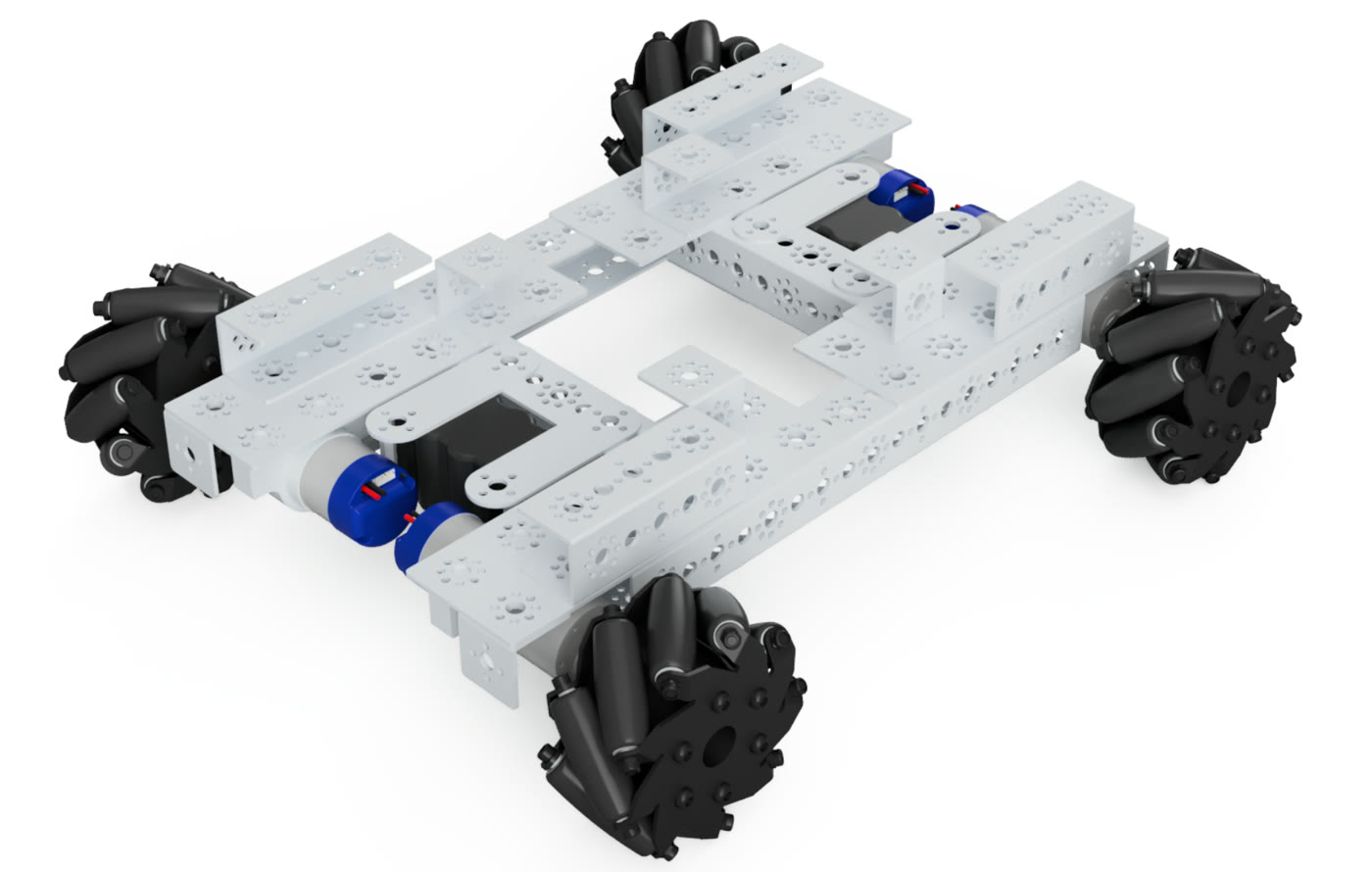
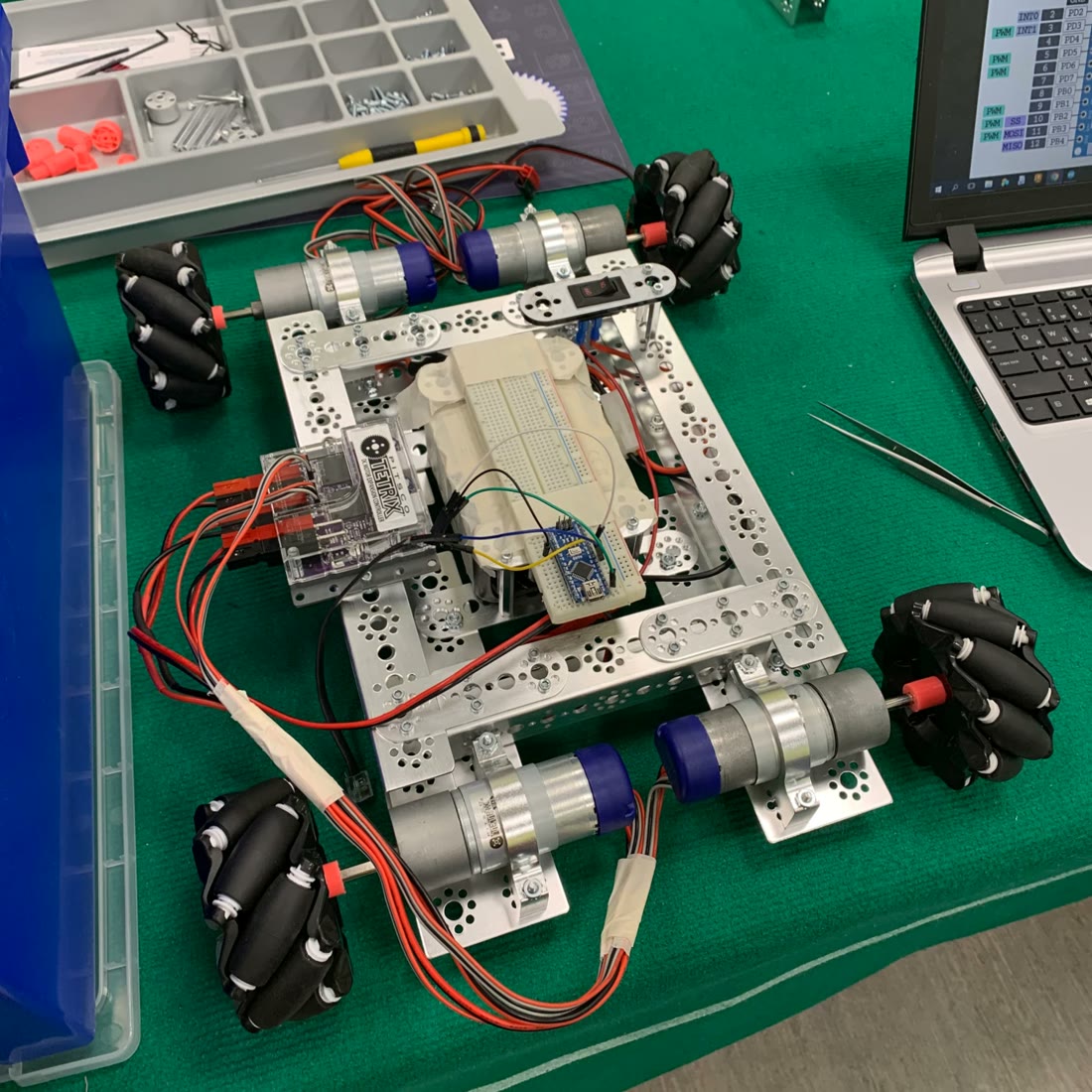
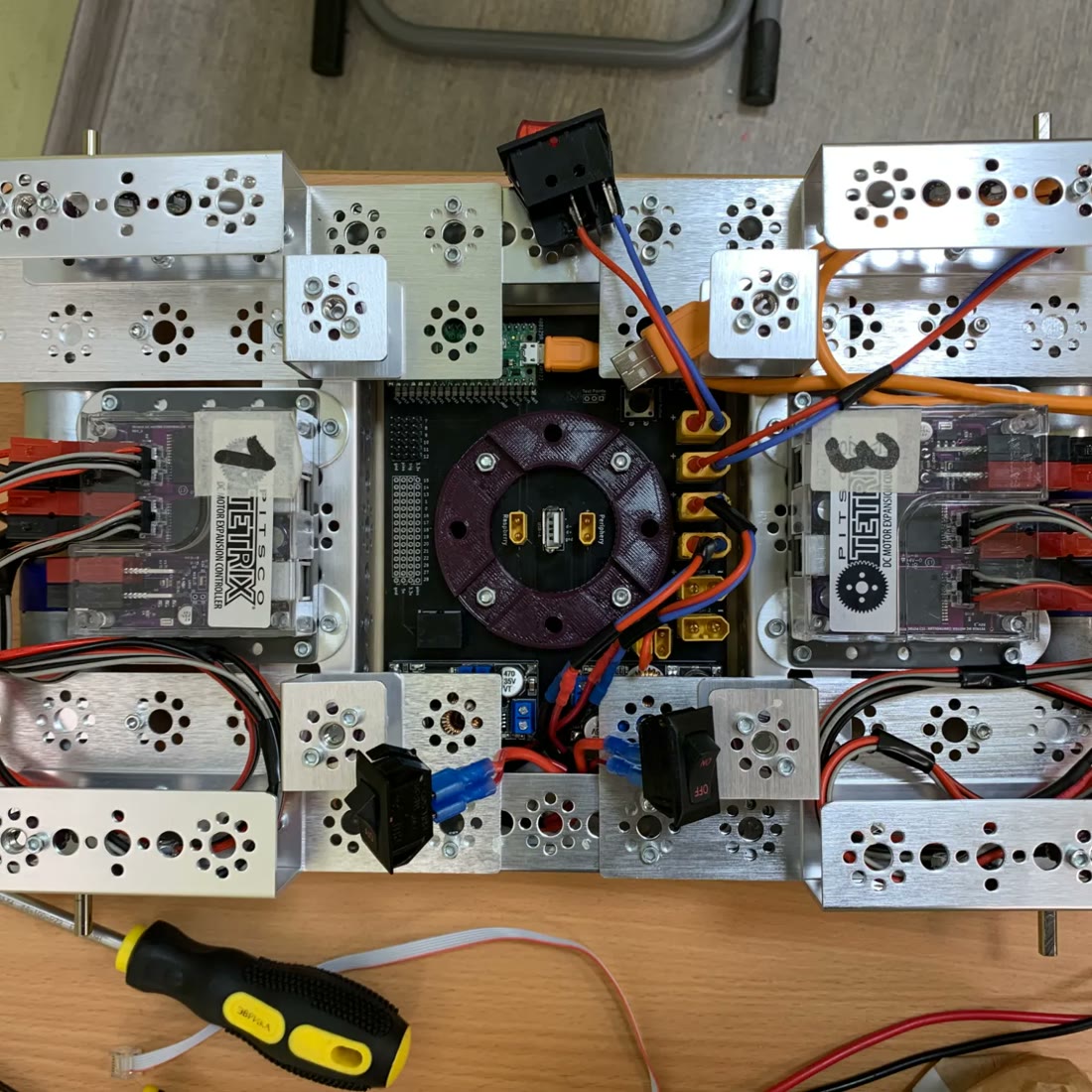
First tests on an aluminum base. I tested the drive on the aluminum frame before the body existed: four mecanum wheels on DC motors, two motor controllers, and an Arduino Nano on a breadboard standing in for the control board. The frame changed several times to become stiffer and to fit the electronics better.
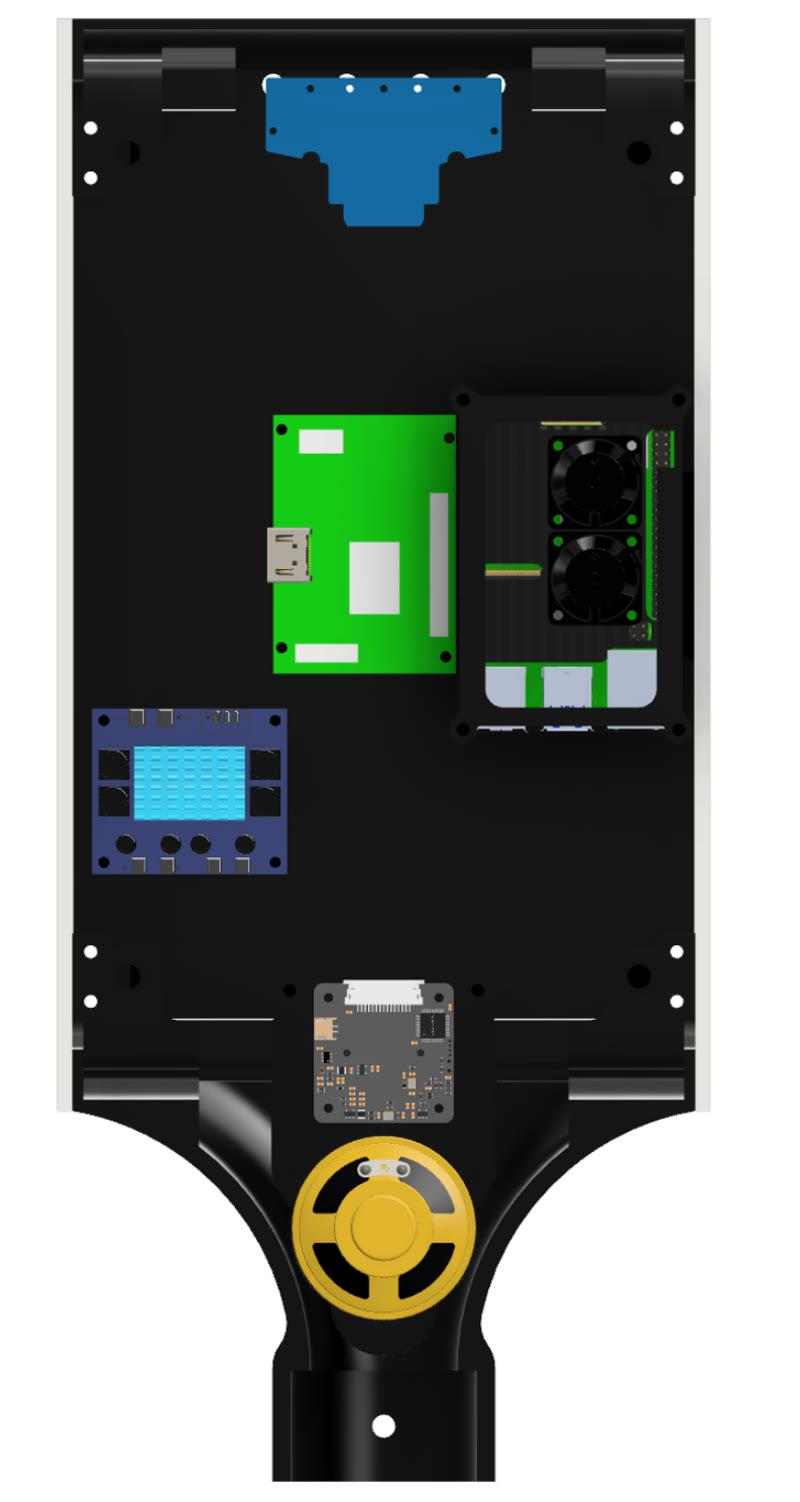
The head. A Raspberry Pi 4 runs the high-level software and drives a 10-inch display over HDMI. Around it are a USB camera with autofocus, a microphone, a speaker, and a time-of-flight camera that looks ahead for obstacles. Everything is mounted on a single plywood layer with brackets I modelled for the purpose.
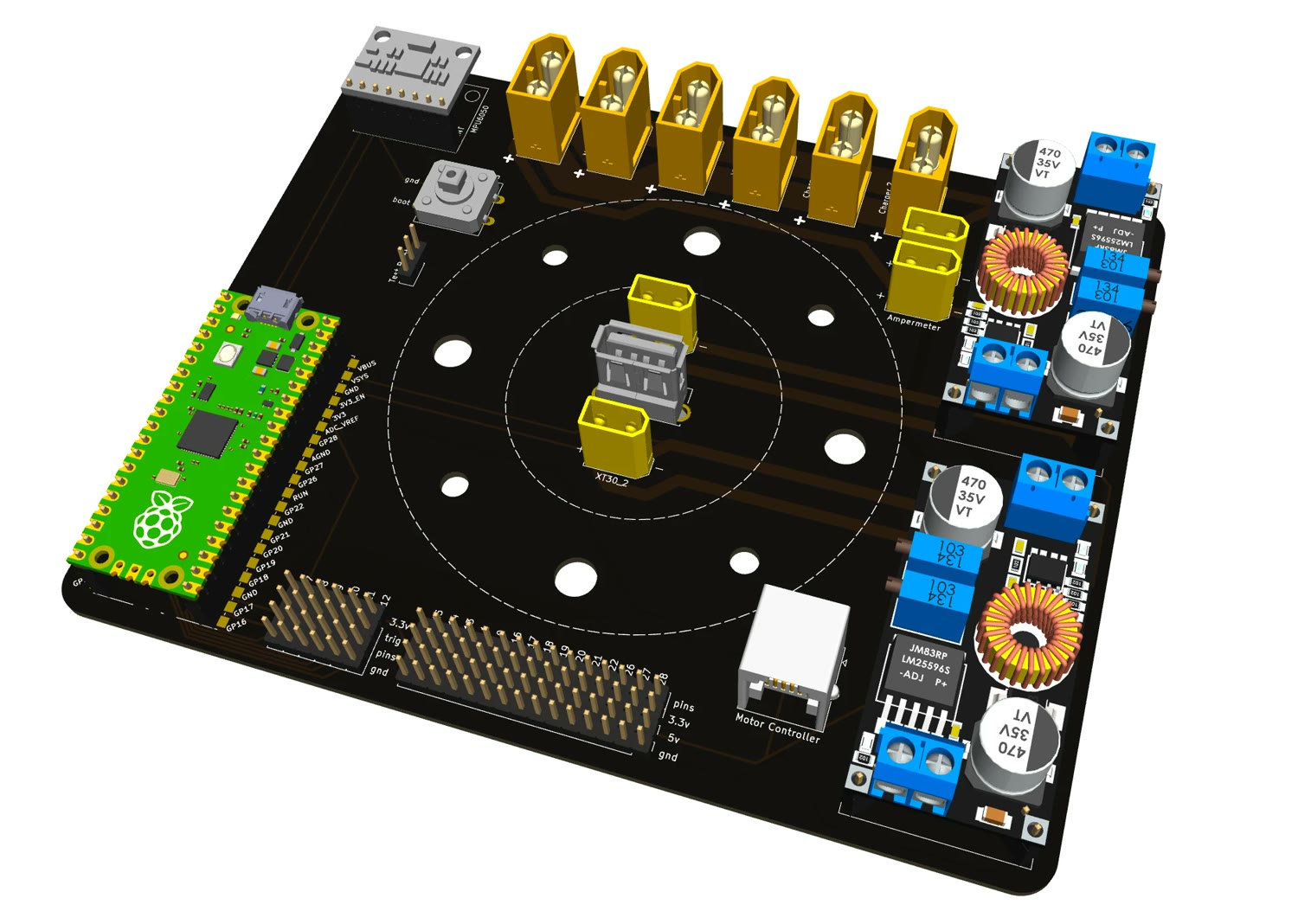
The control board. The base has a custom PCB that I designed in KiCad and ordered from a factory in China. It carries a Raspberry Pi Pico for low-level control, an MPU6050 gyroscope for heading, and two XL4015 converters that split the power between the Pi and the rest of the robot. It connects to the head over USB and to the two TETRIX motor controllers over I2C. The robot runs on two 12 V NiMH packs, which sit at the edges of the base so that the board can go in the middle, directly under the mast.
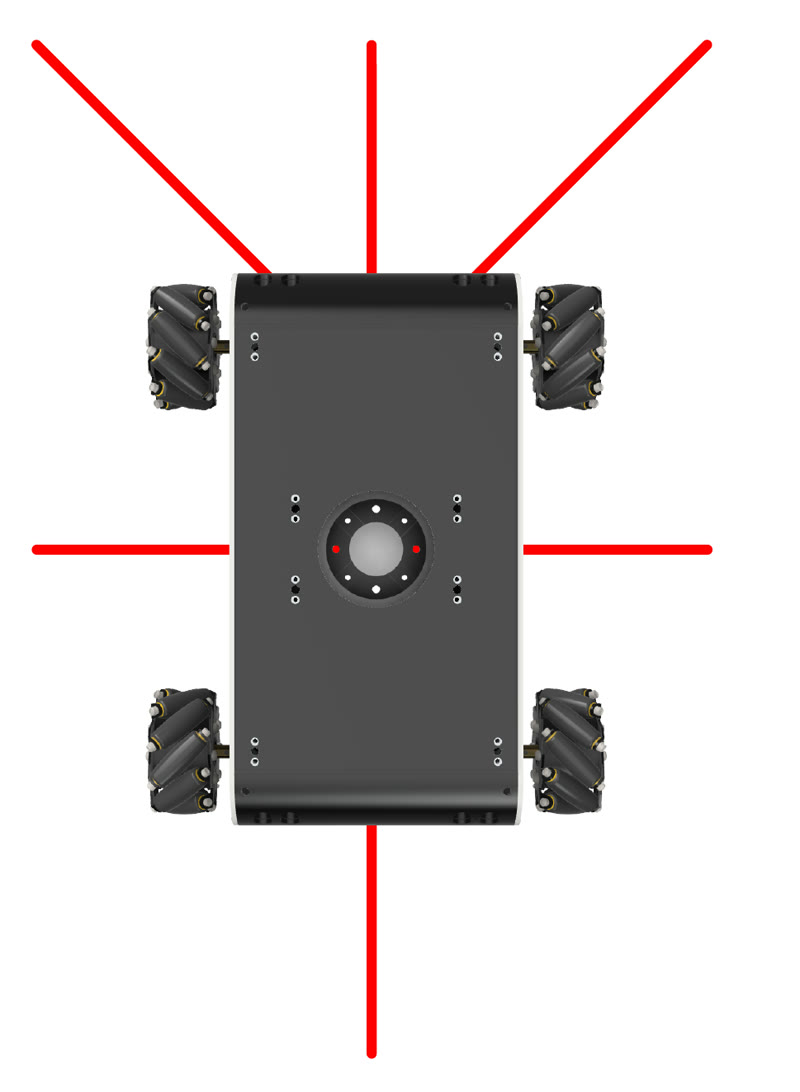
Obstacle avoidance. A time-of-flight camera (240×180 at 30 fps) sees what is ahead, and I chose it over a LiDAR because it works with a Raspberry Pi and costs far less. Six ultrasonic rangefinders on the sides of the base catch obstacles under the robot, where the camera cannot see.
Software. The Pico runs C++ libraries for the gyroscope, rangefinders and motors. The Raspberry Pi 4 runs Python and handles the cameras, route planning and the connection to the operator.
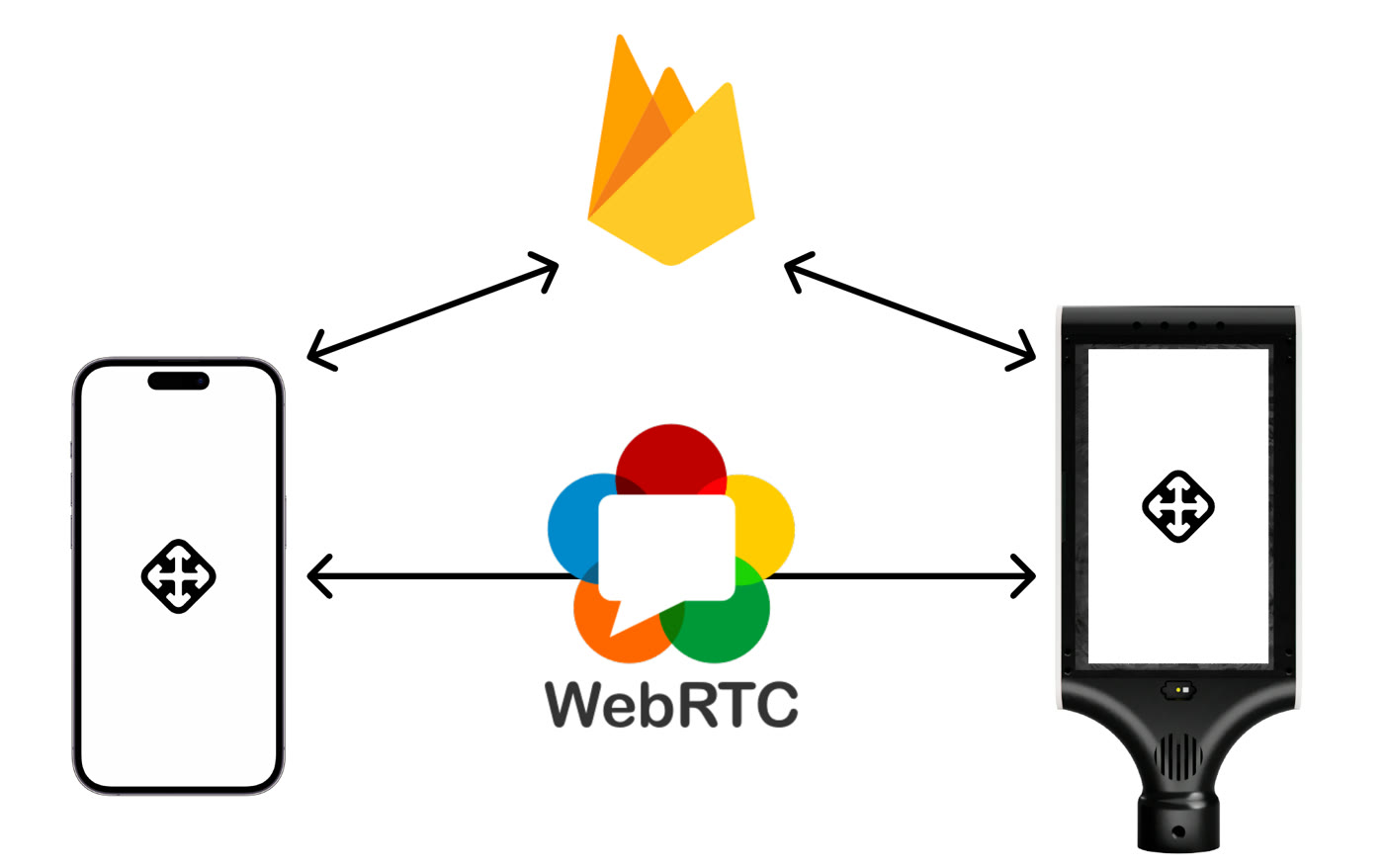
Communication. The operator drives from an app that streams video, audio and driving commands. I started with plain sockets, then moved to a WebRTC connection: Firebase sets up the call and the data then travels directly between the operator and the robot.
The mast. My first mast was a 50 mm PVC pipe, but it was too flexible and the head swayed with every move of the base, which spoiled the picture. I swapped it for a steel tube of the same size. The mount to the base was redesigned three times, from a single part to a two-point fixing and finally a bolted joint that lets the robot be lifted by the mast.
Results
I presented Telebot at the national stage of the All-Russian Olympiad of Schoolchildren in Technology in 2024 and received the highest score for the project in my age category. The result was a working prototype that drives around a school floor, shows the operator what it sees and avoids obstacles. The project’s code and files are on GitHub.